Mostrando entradas con la etiqueta windows. Mostrar todas las entradas

2009/09/10

My tablet PC says hi

One of the joys of not being an Apple fanboy is that you can already be the user of a tablet PC. In case you are not aware of it, tablets are cool, comfortable and in a similar price range than any laptop.
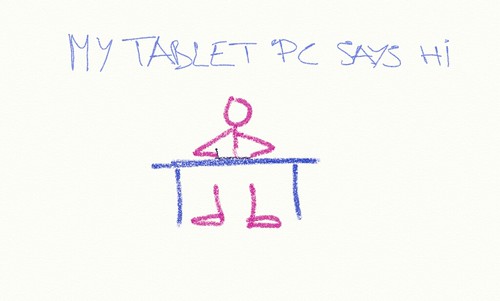
My tablet pc says hi

In june I got an hp tx2000 at http://mcs-n.com and paid €712 for it. I took advantage of Plan Avanza's interest free credits.

It's small and easy to carry around; reading on it with its screen folded, either on the coach or in the bus, is very comfortable. Unfortunatelly, battery life is not that great; I'm hopping to extend it a bit by taking the time to undervolt its cpu.

It came preloaded with lots of crapware (dear HP, haven't you considered that maybe all this bloatware makes your hardware look bad and underperformant?). I wiped it and did a clean installation of Vista 64bits (make that two or three clean installations... damn activation!) Update: Before doing a clean install on a tablet pc, you may want to save some calibration data (something that I failed to do)

2008/12/09

Some notes about troubleshooting

From Why Programs Fails: A Guide to Systematic Debugging:

Some terminology: from defects to failures

  1. The programmer creates a defect.
  2. The defect causes an infection (the program state differs from what the programmer intended)
  3. The infection propagates
  4. The infection causes a failure (an externally observable error in the program state).

Debugging can be decomposed into seven steps:
Track the problem in the database
Reproduce the failure
Automate and simplify the test case
Find possible infection origins
Focus on the most likely origins:
Known infections
Causes in state, code, and input
Anomalies
Code smells
Isolate the infection chain
Correct the defect

Note the TRAFFIC mnemonic.

Opinion ON:

That's nice theory. Unfortunately, the complexity of IT has teached us that computers are non-deterministic beasts. The first thing that we do in case of a problem is restart the system, hope that the problem will go away, and be able to keep doing our job. And it often works.

But we, software developers and support technicians, need to un-learn our hide the symptoms urge. If we suspect that there is some defect in the code (and trust this old software developer, you can be confindent that it very likely that there is one), our goal should always be to find the defect, instead of changing things so that the defect is not executed or the infection does not end up causing a failure. Leaving that defect unfixed is very likely to cause pain in a future situation. À la programming by coincidence.

Some advice
  • avoid corrective actions before the issue is understood. Before the failing code is identified, you should only use temporary corrective actions to help you frame the problem. I'm guilty of having neglected this rule lots of times, and requested customers to just upgrade the code to see if the issue goes away.
  • when possible, use tools that minimize the infection propagation (that, crash as soon as possible). On Windows, I was recently introduced to pageheap and I'm in love with. More on it another day.
  • defects come from source code: give support technicians access and knowledge to read the source code. Support people and developers should change seats quite often.

2008/04/03

In YouTube times...

...I don't want to have to download (and install!?) your video. And I don't want to have to find out what is the missing codec that I need to view it. And if you have been nice/smart enough to create a transcript of your video, don't make it only accessible from the huge installer.

Breathing, forgetting about the wasted time in my Introduction to Visual Web Developer 2008 Express Edition video fiasco, and going back to work...

2007/08/20

cmd.exe goodies

Googling to remember again the key that allows a command history window to be opened in cmd.exe (F7, in case you care), I found the misstitled Stupid Command Prompt Tricks post. Nice. Things that I did not know and that I'm going to use often:

  • dropping a file/dir on a console writes its full path in it
  • console settings (window/buffer size, fonts, quickedit...) are tied to the title, not to the shortcut that is used to launch them.
    cmd /c start "MyCmd" cmd /k ...
    will launch a command prompt that will use the settings associated to MyCmd. If there are none, just go to 'Properties' and create them