Verbose business cards
Tags:
.in-english,
blogroll,
ibm,
remix,
tools

Learned from Kellypuffs that linkedin users can get 50 free MOO cards. Enter Jonathan Feinberg's Wordle (and a bit of javascript).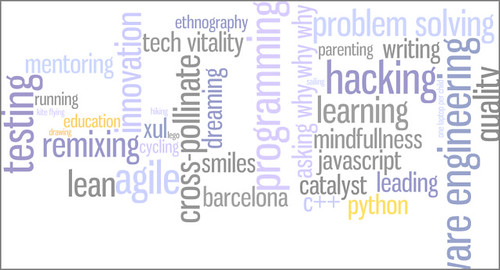
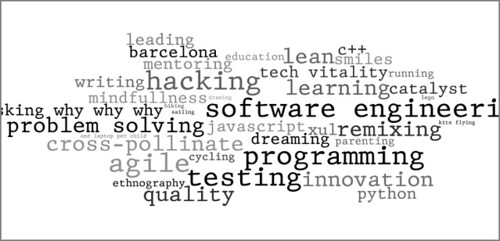
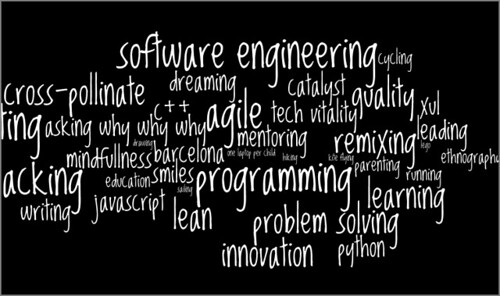
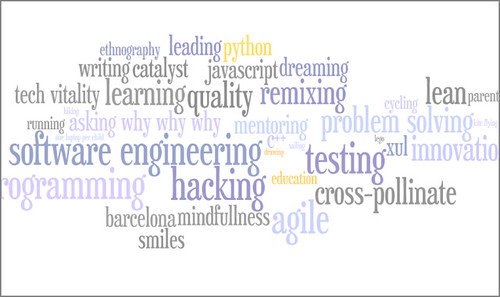
Learned from Kellypuffs that linkedin users can get 50 free MOO cards. Enter Jonathan Feinberg's Wordle (and a bit of javascript).
If you are familiar with the 'enhanced abilities' Firefox security prompt, and you ever clicked on the 'Remember this decision' check box
you may want to check http://firefoxprivileges.tiddlyspot.com.
When this prompt appears as a result of loading a file from your hard drive, you may not be aware of the exact meaning of the 'Remember this decision' check box. While you probably mean "I trust this file and I don't want you to annoy me anymore", Firefox understands "I trust every html file loaded from the hard drive". This broad trust is not a good idea from the security point of view.
This tool allows to easily cancel that effects of "remember this", and tell Firefox that you only trust some specific files (per-file permissions). Before hacking it, I used to have to mess with the user.js file, much less convenient.
The tool is implemented as a TiddlyWiki plugin. If you are not familiar with TiddlyWikis (super cool wikis in a single file), this is a good chance to get to know them.
Edit:
Some strings to make this post googleable for the right people:
UniversalXPConnect UniversalBrowserRead UniversalBrowserWrite UniversalFileRead CapabilityPreferencesAccess UniversalPreferencesRead UniversalPreferencesWrite
netscape.security.PrivilegeManager.enablePrivilege signed.applets.codebase_principal_support

El Compact Calendar de David Seah és ben mono, i sembla molt pràctic; és un excel per imprimir. Hi ha adaptacions, amb els dilluns on toquen i les festes d'aqui, en Excel i en Open Office.
Aqui altres calendaris ben macos, però amb aquestes extranyes semanes de cap de setmana partit.
Tanta il·lusió que em fan els calendaris, i tan nerviós que em posen.

Martin Espinach, coffee machine and lunch mate, gave yesterday a very nice internal talk about how his previous project used bugzilla and Mylyn to help them plan, assign and track team tasks. Although they were initially excited about Mylyn's task-focused UI, none of the team members ended up using it; they did love Mylyn's ability to get notifications from bugzilla. It looked like a neat solution.
When his very detailed talk was almost done, he told us that, for their recently started new project, they are using IBM Rational Jazz. I felt like killing him, but I then I would have missed the chance to complain about his talk during every afternoon coffee in the next weeks.
And Jazz? So far, they are loving it. I'll have to ask him to demo it to our team.
Googling to remember again the key that allows a command history window to be opened in cmd.exe (F7, in case you care), I found the misstitled Stupid Command Prompt Tricks post. Nice. Things that I did not know and that I'm going to use often:
cmd /c start "MyCmd" cmd /k ...
The SendTo folder is a simple and powerful tool to customize Windows Explorer to simplify some recurring tasks. If you often want to link to files in your PC from your TiddlyWikis, you'll like this hack. It creates two new items in the "Send To" menu:
Restoring a Firefox session accidentally told me that, when you open messages/chats in a new window, you get an url that you can bookmark/copy to another file. Nice.
Exploring things a bit further showed that gmail uses frames, so you can use the url of the inner frame to bookmark contacts, labels, filters, searches or any other thing that does not have the "New Window" link. In Firefox, use the popup menu, and "This Frame > Open frame in new tab".
Very handy for those of us that run our lifes in tiddlywikis.
Of course, Google is perfectly free to change these misterious urls not likely intended for public consumption...
Want to use the terrific YourSearch plugin even when visiting a TiddlyWiki that does not have it installed?
A bookmarklet will make it simple.
Update: Does not work any more.http://convert.viloader.net
 .in-english
(145)
.in-spanish
(59)
.in-catalan
(47)
parenting
(41)
life
(40)
programming
(35)
ibm
(33)
barcelona
(24)
education
(22)
cultures
(20)
food-for-thought
(20)
gadgets
(19)
books
(18)
blogroll
(17)
quotes
(16)
software-engineering
(16)
innovation
(15)
web2.0
(15)
security
(14)
google
(13)
agile
(11)
blogging
(11)
javascript
(11)
politics
(11)
presentations
(11)
robots
(11)
tiddlywiki
(11)
drawing
(10)
firefox
(9)
remix
(9)
tools
(9)
economics
(8)
face-to-face
(8)
tedtalks
(8)
lego
(7)
lego-mindstorms
(7)
mashups
(7)
phones
(7)
social-software
(7)
art
(6)
comics
(6)
rational
(6)
charles-handy
(5)
debugging
(5)
flat-world
(5)
privacy
(5)
python
(5)
ajax
(4)
catalonia
(4)
cryptography
(4)
documentation
(4)
dont-obey-the-giant
(4)
dw
(4)
economy
(4)
flickr
(4)
gtd
(4)
html
(4)
languages
(4)
leadership
(4)
management
(4)
matt-harding
(4)
organization-theory
(4)
poetry
(4)
science
(4)
social-capital
(4)
windows
(4)
basketball
(3)
divorce
(3)
google-techtalks
(3)
identity
(3)
jazz
(3)
linux
(3)
peter-drucker
(3)
search
(3)
soa
(3)
spain
(3)
why-why-why
(3)
xul
(3)
zos
(3)
bird-by-bird
(2)
cycling
(2)
e-government
(2)
everett-rogers
(2)
history
(2)
lean
(2)
lotus
(2)
maps
(2)
media
(2)
meetup
(2)
music
(2)
nyc
(2)
organizational-network-analysis
(2)
ricardo-semler
(2)
sam-ruby
(2)
scott-ambler
(2)
shdh
(2)
simulation
(2)
spam
(2)
studying
(2)
superhappydevhouse
(2)
teenagers
(2)
yahoo-pipes
(2)
africa
(1)
ai
(1)
animatee
(1)
attention
(1)
bcndigital
(1)
birding
(1)
blogspot
(1)
complexity
(1)
frisbee
(1)
gof
(1)
grady-booch
(1)
im
(1)
in-order-to
(1)
intro
(1)
jim-highsmith
(1)
kyrgyzstan
(1)
malta
(1)
mike-cohn
(1)
mmorpgs
(1)
mozbot
(1)
nintendo
(1)
obama
(1)
ona
(1)
open-space
(1)
openup
(1)
opera
(1)
patents
(1)
planetibm
(1)
poppendieck
(1)
randy-pausch
(1)
rest
(1)
safaribooks
(1)
smalltalk
(1)
tablet
(1)
tagri
(1)
tagzania
(1)
tridge
(1)
twitter
(1)
uk
(1)
ultimate
(1)
unconference
(1)
uoc
(1)
ventura
(1)
visual-management
(1)
visual-thinking
(1)
wikimapia
(1)
women-in-technology
(1)
xo
(1)
yagni
(1)
.in-english
(145)
.in-spanish
(59)
.in-catalan
(47)
parenting
(41)
life
(40)
programming
(35)
ibm
(33)
barcelona
(24)
education
(22)
cultures
(20)
food-for-thought
(20)
gadgets
(19)
books
(18)
blogroll
(17)
quotes
(16)
software-engineering
(16)
innovation
(15)
web2.0
(15)
security
(14)
google
(13)
agile
(11)
blogging
(11)
javascript
(11)
politics
(11)
presentations
(11)
robots
(11)
tiddlywiki
(11)
drawing
(10)
firefox
(9)
remix
(9)
tools
(9)
economics
(8)
face-to-face
(8)
tedtalks
(8)
lego
(7)
lego-mindstorms
(7)
mashups
(7)
phones
(7)
social-software
(7)
art
(6)
comics
(6)
rational
(6)
charles-handy
(5)
debugging
(5)
flat-world
(5)
privacy
(5)
python
(5)
ajax
(4)
catalonia
(4)
cryptography
(4)
documentation
(4)
dont-obey-the-giant
(4)
dw
(4)
economy
(4)
flickr
(4)
gtd
(4)
html
(4)
languages
(4)
leadership
(4)
management
(4)
matt-harding
(4)
organization-theory
(4)
poetry
(4)
science
(4)
social-capital
(4)
windows
(4)
basketball
(3)
divorce
(3)
google-techtalks
(3)
identity
(3)
jazz
(3)
linux
(3)
peter-drucker
(3)
search
(3)
soa
(3)
spain
(3)
why-why-why
(3)
xul
(3)
zos
(3)
bird-by-bird
(2)
cycling
(2)
e-government
(2)
everett-rogers
(2)
history
(2)
lean
(2)
lotus
(2)
maps
(2)
media
(2)
meetup
(2)
music
(2)
nyc
(2)
organizational-network-analysis
(2)
ricardo-semler
(2)
sam-ruby
(2)
scott-ambler
(2)
shdh
(2)
simulation
(2)
spam
(2)
studying
(2)
superhappydevhouse
(2)
teenagers
(2)
yahoo-pipes
(2)
africa
(1)
ai
(1)
animatee
(1)
attention
(1)
bcndigital
(1)
birding
(1)
blogspot
(1)
complexity
(1)
frisbee
(1)
gof
(1)
grady-booch
(1)
im
(1)
in-order-to
(1)
intro
(1)
jim-highsmith
(1)
kyrgyzstan
(1)
malta
(1)
mike-cohn
(1)
mmorpgs
(1)
mozbot
(1)
nintendo
(1)
obama
(1)
ona
(1)
open-space
(1)
openup
(1)
opera
(1)
patents
(1)
planetibm
(1)
poppendieck
(1)
randy-pausch
(1)
rest
(1)
safaribooks
(1)
smalltalk
(1)
tablet
(1)
tagri
(1)
tagzania
(1)
tridge
(1)
twitter
(1)
uk
(1)
ultimate
(1)
unconference
(1)
uoc
(1)
ventura
(1)
visual-management
(1)
visual-thinking
(1)
wikimapia
(1)
women-in-technology
(1)
xo
(1)
yagni
(1)