2009/11/03
2008/06/30
Jornades de Programari Lliure

Dimecres comencen les VII Jornades de Programari Lliure. Programa al Google Calendar.
Si m'ho puc apanyar, vull anar a
- Dijous 12:30 - 13:00.
Aprenentatge de la Programació al Citilab: Squeak i Scratch - Divendres 13:00-14:00.
eyeOS : Portant el Sistema Operatiu a la Xarxa - Divendres 15:30-16:30.
Eines de virtualització lliures per a sistemes GNU/Linux - Divendres 16:30-19:00.
Taller d’Arduinos (open-hardware)
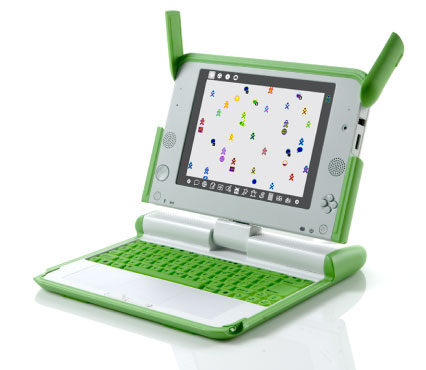
M'ho pugui apanyar o no, dissabte aniré a la Jornada de Python (de 10:00 a 14:00), doncs he dit que faria una xerrada sobre Sugar, l'interface d'usuari del XO o OLPC o $100 Laptop
Posted by -Xv at 23:26
2008/04/15
A simple way to manage Firefox privileges
If you are familiar with the 'enhanced abilities' Firefox security prompt, and you ever clicked on the 'Remember this decision' check box
you may want to check http://firefoxprivileges.tiddlyspot.com.
When this prompt appears as a result of loading a file from your hard drive, you may not be aware of the exact meaning of the 'Remember this decision' check box. While you probably mean "I trust this file and I don't want you to annoy me anymore", Firefox understands "I trust every html file loaded from the hard drive". This broad trust is not a good idea from the security point of view.
This tool allows to easily cancel that effects of "remember this", and tell Firefox that you only trust some specific files (per-file permissions). Before hacking it, I used to have to mess with the user.js file, much less convenient.
The tool is implemented as a TiddlyWiki plugin. If you are not familiar with TiddlyWikis (super cool wikis in a single file), this is a good chance to get to know them.
Edit:
Some strings to make this post googleable for the right people:
UniversalXPConnect UniversalBrowserRead UniversalBrowserWrite UniversalFileRead CapabilityPreferencesAccess UniversalPreferencesRead UniversalPreferencesWrite
netscape.security.PrivilegeManager.enablePrivilege signed.applets.codebase_principal_support
Posted by -Xv at 21:46
2007/08/06
XUL persist annoyances
XUL Elements have a persist attribute, that is documented as
A space separated list of attributes that are maintained when the window is closed. When the window is re-opened, the values of persistent attributes are restored. In Mozilla, persistent attributes are stored in the per-profile file localstore.rdf. Persistence can also be stored using the document.persist function. In order for persistence to work, the element must also have an id.I've learned some things about it today:
- It does not seem to work for the "value" attribute of "textarea" elements
- It is stored as RDF
- It asks for some quite verbose code if you need to access to it
var rdfService = Components.classes["@mozilla.org/rdf/rdf-service;1"].
getService(Components.interfaces.nsIRDFService);
var rdfLocalStoreDS = Components.classes["@mozilla.org/rdf/datasource;1?name=local-store"].
getService(Components.interfaces.nsIRDFDataSource);
var rdfRes = rdfService.GetResource("uri of interest after about in localstore.rdf");
var screenXRes = rdfService.GetResource("screenX");
var screenYRes = rdfService.GetResource("screenY");
if (rdfLocalStoreDS.hasArcOut(rdfRes, screenXRes) &&
rdfLocalStoreDS.hasArcOut(rdfRes, screenYRes)) {
var screenX = rdfLocalStoreDS.GetTarget(rdfRes, screenXRes, true).
QueryInterface(Components.interfaces.nsIRDFLiteral)
var screenY = rdfLocalStoreDS.GetTarget(rdfRes, screenYRes, true).
QueryInterface(Components.interfaces.nsIRDFLiteral)
window.moveTo(screenX.Value, screenY.Value);
QueryInterface(Components.interfaces.nsIRDFLiteral) for quite a while of wasted time. In another piece of code that I wrote, this was magically called for me by checking if (target instanceof Components.interfaces.nsIRDFLiteral); I need to get a better understanding of Mozilla's component model mechanisms... I also failed to use "Value" with a capital letter, to add up to the waste. :-(
Posted by -Xv at 16:30
2007/08/04
SendTo Clipboard coolness (TiddlyWiki links to your files)
The SendTo folder is a simple and powerful tool to customize Windows Explorer to simplify some recurring tasks. If you often want to link to files in your PC from your TiddlyWikis, you'll like this hack. It creates two new items in the "Send To" menu:
- clipboard - file url: Copies to the clipboard the file: url of the file or folder that was showing the "Send To" menu
- clipboard - new tiddler javascript url: Copies to the clipboard a javascript: url that, when pasted into the address bar of a Firefox tab showing a TiddlyWiki, will create a tiddler with the contents of the file that was showing the "Send To" menu
You can jump and just download and run the thing, a small .hta file, or take less than three minutes watching it in action in one of the lamest screencasts ever:
SendTo Clipboard Screencast from Xavier Vergés and Vimeo
Using it
- Just download the .hta file and open it. No, wait! Never open .hta files unless you trust its author or you have taken a look at the code.
- Provided that you trust me or that you have checked the code, you can now open it. Maybe a double click will be enough (your Windows associates .hta files to mshta.exe, a version of IE with high security privileges in your machine). Maybe you need to use the command line and type mshta path2twlink.hta.
- Follow the simple steps described in the .hta file, and you can start using your new shinny Send To menu items.
- You are expected to edit the file to customize what gets copied into the clipboard. It should be easy. You may get ideas to push the sendto+clipboard+javascript urls concept further; adding them to the tool should not be too hard.
- You are also expected to do some dancing, since this is DanceLikeMattHardingWare.
- I initially wanted to use just a .js file. Getting access to the clipboard from a .js file is hard, so I went for an .hta. It turned out to be a good thing, because it ended up providing a way to avoid to the users the trouble of creating the shortcuts by hand and to me the trouble of documenting the recipe.
- The problem of using an .hta file is that I found no way to keep it invisible, that it has an unusual way to receive its params, and that I had to warn you about its dangerousness.
- I think that I've spent more time recording the lousy screencast and comparing video hosting services that coding. The number of times that I rerecorded the #@%! thing will remain undisclosed; I have my pride. Regarding the hosting services, after reading about them, I posted the video to google, blip.tv and vimeo.
Update: looks like the winner is http://viddler.com: links, comments and tags on specific points of the video, plus the best player of all (in full screen mode, showing the original size, the quality was just perfect): http://www.viddler.com/explore/xdexavier/videos/1
I still have no winner, but google's video quality was awfull, so I had to drop it despite its super cool feature of letting you link to a specific point of the video.
Posted by -Xv at 1:04
2007/08/02
Upcoming DanceLikeMattHardingWare (half cooked hacks)
I have a longish backlog of hacks worth cleaning up and publishing
- FoxyHistory, a better Firefox History Manager. Having the ability to include urls when searching, and to sort the history by date of first visit has already saved me some time trying to restore some foggy memories.
- TiddlyWiky SendTo Shortcuts, that allow to easily create customized links to files in a tiddlywiki and tiddlers with the contents of a file (Thanks for that first implementation, -- F.!)
- MultiTiddlyWiki, that allows to have a bunch of tiddlywikis in a single Firefox tab. Specially nice when used with the terrific WebRunner, a XULRunner based distraction-free browser (Thanks for the link, schilke!)
I think that I'll make the hacks available as DanceLikeMattHardingWare:
You are free to do with this whatever you fancy, but you are expected to do some small à la Matt Harding dancing steps now and then.
If you are too serious to dance, consider changing some things in your life, or just use it under some form of beerware or Creative Commons licensing.
Posted by -Xv at 13:37
2007/05/11
Tiddlywiki YourSearch bookmarklet
Want to use the terrific YourSearch plugin even when visiting a TiddlyWiki that does not have it installed?
A bookmarklet will make it simple.
Posted by -Xv at 21:35
Falling in love with MochiKit

As promised, MochiKit makes JavaScript suck less. Small things like bind(), partial(), map() and filter() are making me fall in love with it. And the very extensive documentation. And how I think that I'm going to enjoy using its Signal, inspired on Qt's signal/slot system.
Back to coding.
Posted by -Xv at 0:23
2007/04/27
Evangelizing and toilets
One of Google's little secrets that has helped us to inspire our developers to write well-tested code: we write flyers about (testing techniques) and then regularly plaster the bathrooms all over Google with each episode, almost 500 stalls worldwide.
Stumbled upon this evangelizing technique in Introducing "Testing on the Toilet", while googling trying to decide which JavaScript unit testing framework use (yeah, shame on me, I've been doing lots of JavaScript lately without doing Test Driven Development).
We've received a lot of feedback about it. Some favorable ("This is great because I'm always forgetting to bring my copy of Linux Nerd 2000 to the bathroom!") and some not ("I'm trying to use the bathroom, can you folks please just LEAVE ME ALONE?")
They not only use a surprising evangelizing technique, but also have a great banner and motto for their blog: "Debugging sucks. Testing Rocks."
Posted by -Xv at 13:52
2007/01/09
My browser, my rules, my chrome
Summary: there are times when Firefox security gets in your way. Having a directory where you can place xul, html and scripts to run with chrome privileges enables you to shoot yourself in the foot and to create nice and handy hacks.
The itch that called for scratching: I wanted to hack something to let me upload several files at once to googlepages [1]. The problem is that, for very good reasons, you can not use JavaScript to change the value of input fields of type file: you usualy don't want scripts reading files in your disk. So, a bookmarklet, that to the browser looks as if it were part of the page, wouldn't cut it. Greasemonkey userscripts do run sandboxed, but not under chrome privilege [2], so I did not try that. I tried to give the page UniversalFileRead privilege [3][4], but failed.
A chrome folder. From Under chrome's influence, slightly modified,
You need to keep in mind that chrome is catched, so you may not see the changes you make immediately. Setting
In the browser's installation directory, create a new filechrome/mychrome.manifestand put a single line into it:content mychrome file:///D:/whatever/mychrome/Note that the trailing slash is significant. Then create the fileD:\whatever\mychrome\hello.txtand add some text:hello world!After a complete restart of your browser, you can open that file usingchrome://mychrome/content/hello.txt.
nglayout.debug.disable_xul_cache to true [5] or the Extension Developer's Extension ability to reload chrome without restarting the browser are helpful here.Future plans:
- the bulk upload to googlepages is working nicely; needs some docu before uploading it.
- I want to have a browser window with chrome privileges so that I can have more freedom of what I can do with some file: urls. Specifically
- have known tiddlywikis granted
UniversalXPConnectprivilege without having to grant it to everything from file: and without having to mess with thecapability.principal.codebaseannoyance. - have local files use a script loaded from the web, or have a remote file load a script from my disk, so that I don't have to upload files while writing/debugging javascript.
[1] googlepages: yeah, I know, I'm cheap!
[2] Mark Pilgrim's slides on sandboxing greasemonkey have a wonderful "how to become an expert" detour. Don't miss it.
And, just in case you are a powerpoint author, consider S5 (a Simple Standards-Based Slide Show System), the tool used for Mark's slides.
[3] UniversalFileRead: I added to my user.js
user_pref("capability.principal.codebase.googlepages1.granted", "UniversalFileRead");
user_pref("capability.principal.codebase.googlepages1.id", "http://pages.google.com/");
but still got a security exception.[4] Highlighted link thanks to http://citebite.com.
[5]
nglayout.debug.disable_xul_cache: I haven't tried it. As I write this,I realize that my user.js sets it to true while my prefs.js ignores it and keeps it to false. Posted by -Xv at 23:44
2006/12/05
dW chats: Making the move to Ajax
IBM Rational's Bill Higgins will be the moderator of a developerWorks chat on Ajax. to be held on Wednesday December 6th at 1pm his time or 7pm my time. I was not aware of these dW chats going on (this is the second one, as far as I've seen).
Posted by -Xv at 0:50